Hana POS allows you to print a letter form of an order for documentation, auditing, and record-keeping purposes. This feature ensures businesses can maintain organized and formal records of transactions.
This guide outlines the steps to print a letter form for an order.
Steps to Print a Letter Form
Step 1: Access the Orders Page
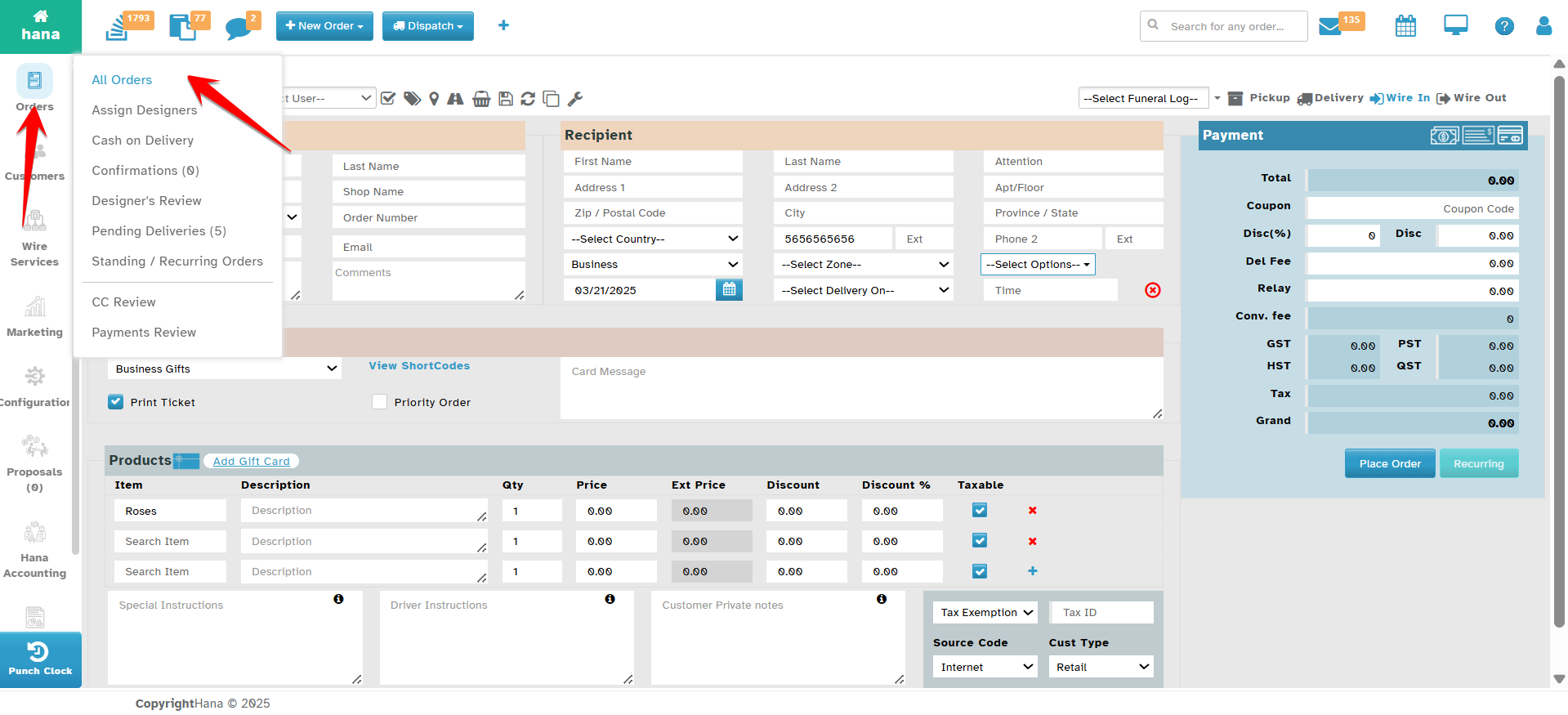
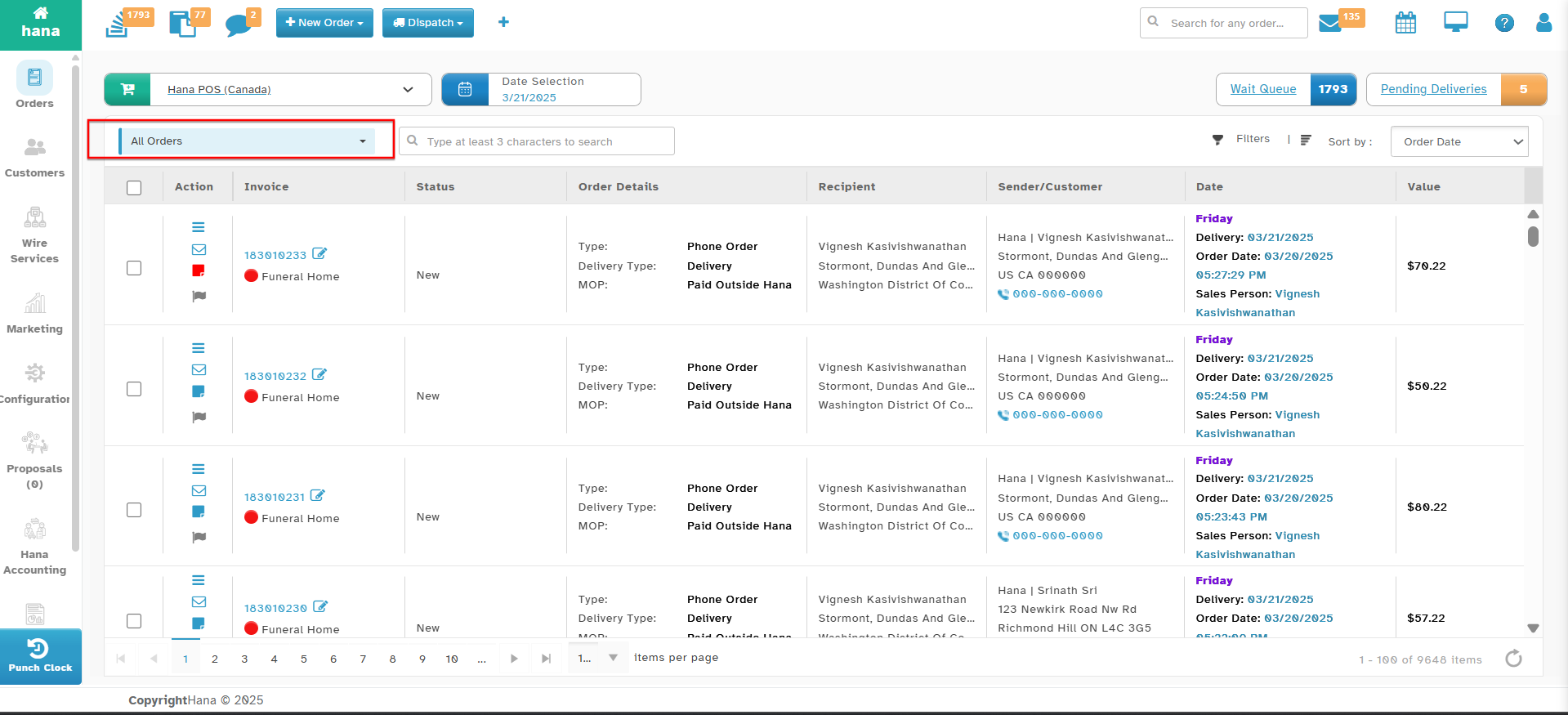
Navigate to Orders.
The Orders Page will be displayed.
Step 2: Open the Print Letter Form Option
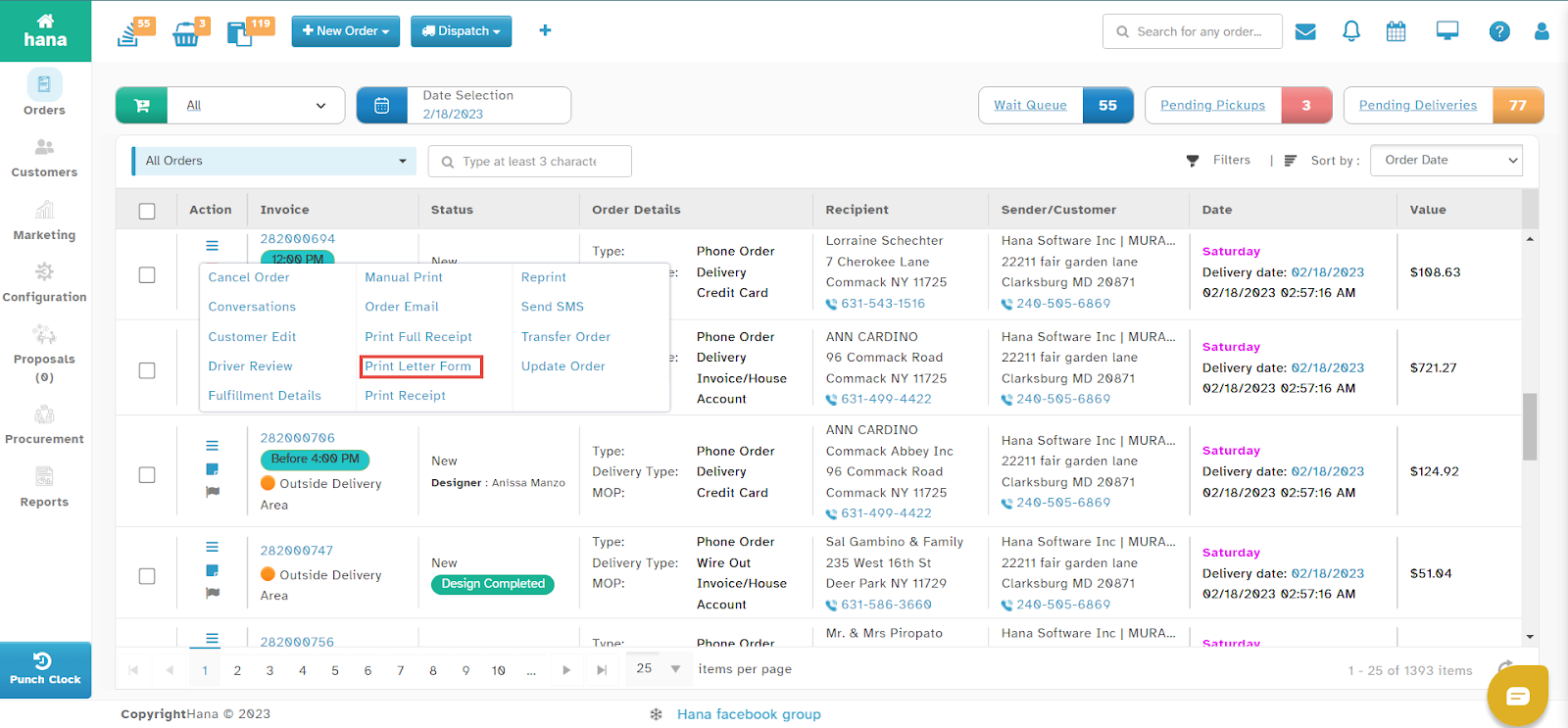
Click the Action Menu in the row of the order you wish to print.
The Actions Menu will be displayed.
Click Print Letter Form.
A success notification will confirm that the letter form has been printed.
Was this article helpful?
That’s Great!
Thank you for your feedback
Sorry! We couldn't be helpful
Thank you for your feedback
Feedback sent
We appreciate your effort and will try to fix the article