Hana POS allows you to accept an order that is waiting in the queue. Orders may be placed in the waiting queue for various reasons, and accepting them confirms that they are ready for processing.
This guide outlines the steps to accept an order from the wait queue.
Steps to Accept an Order Waiting in Queue
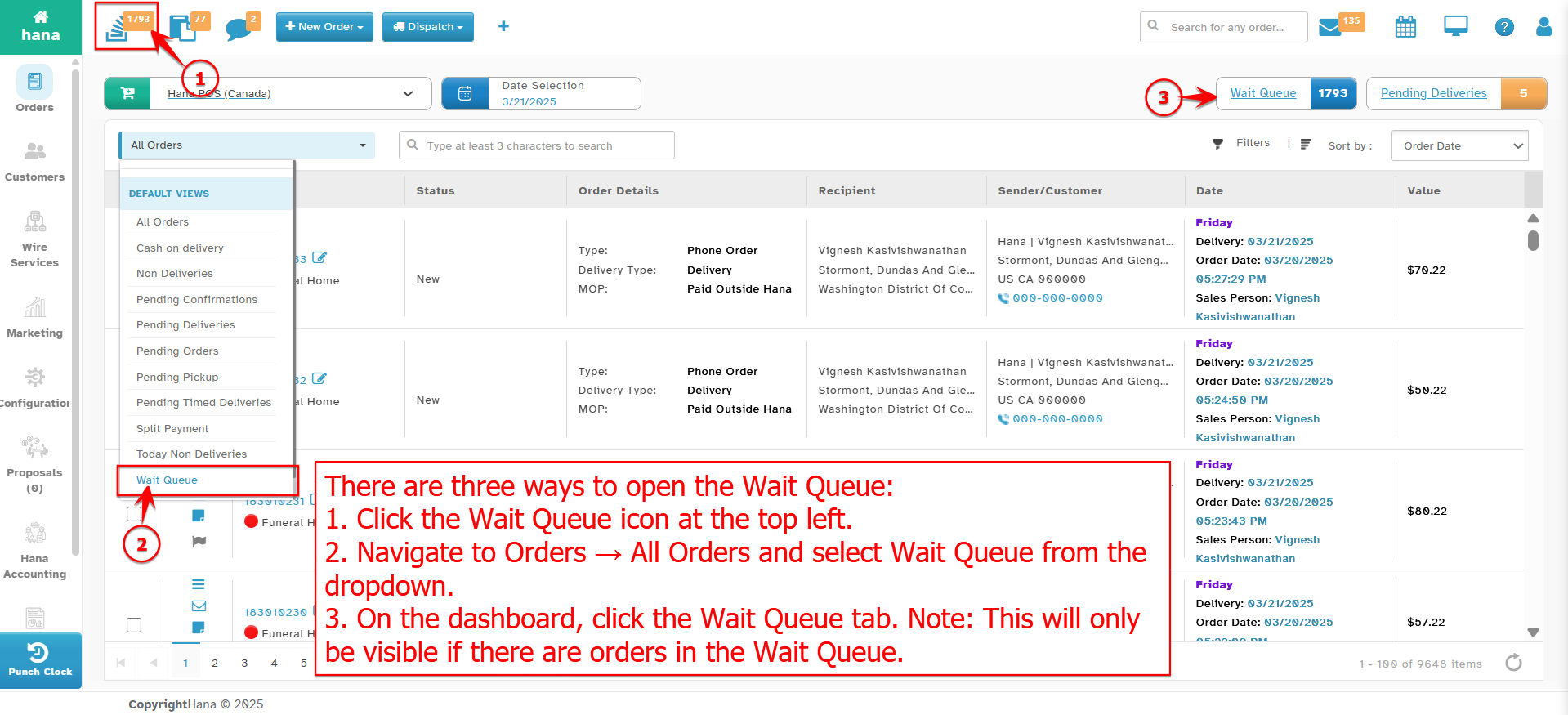
Step 1: Access the Wait Queue
Navigate to Dashboard > Wait Queue.
The Wait Queue Page will be displayed.
Step 2: Accept the Order
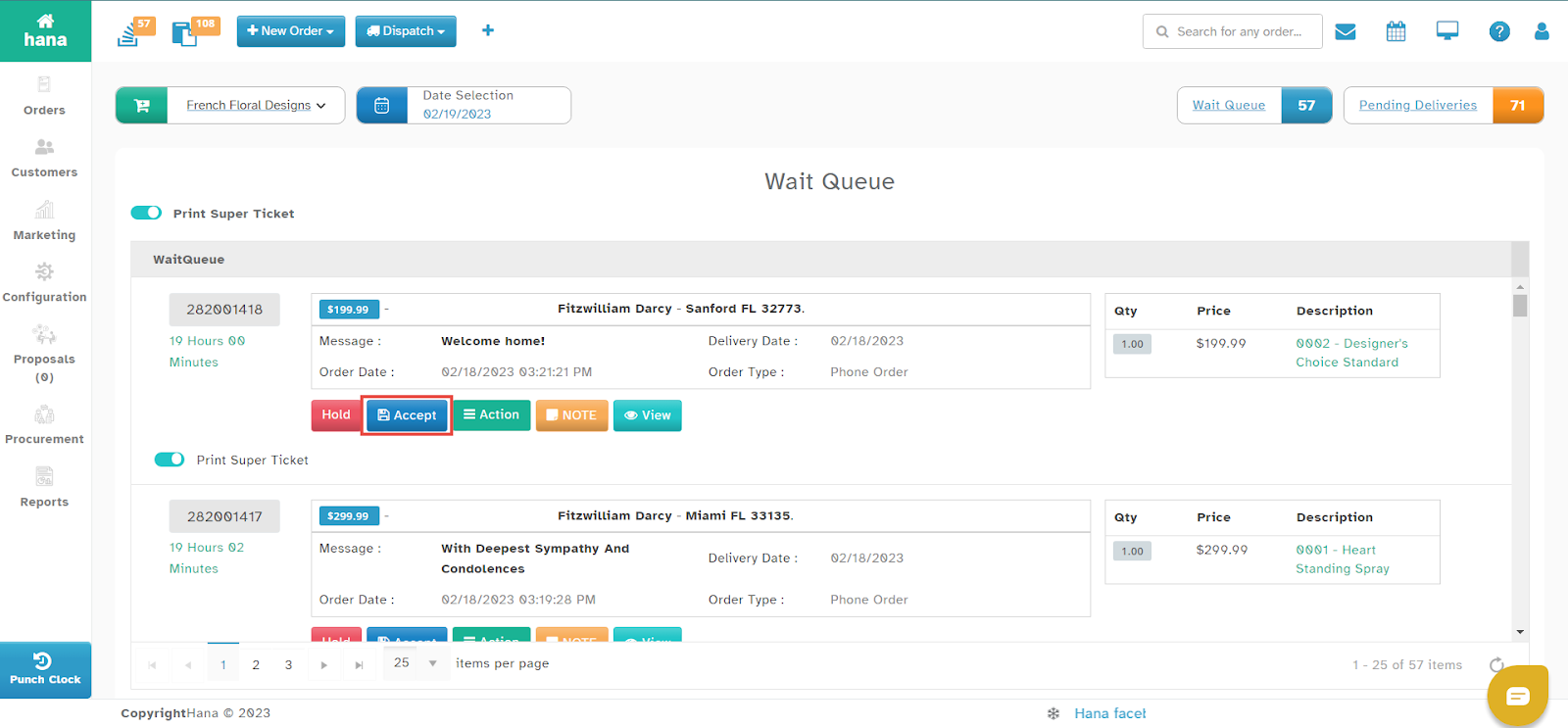
Click Accept next to the order you wish to confirm.
A success notification will confirm that the order has been accepted.
Was this article helpful?
That’s Great!
Thank you for your feedback
Sorry! We couldn't be helpful
Thank you for your feedback
Feedback sent
We appreciate your effort and will try to fix the article