Hana POS allows you to view the recipient’s address on a map and get directions to the delivery location while creating a new order.
This feature helps you estimate distances and plan efficient delivery routes.
This guide outlines the steps to view the map and directions during order creation.
Steps to View Map
Step 1: Access the Order Entry Page
Navigate to New Order > Order Entry.
The Order Entry Page will be displayed.
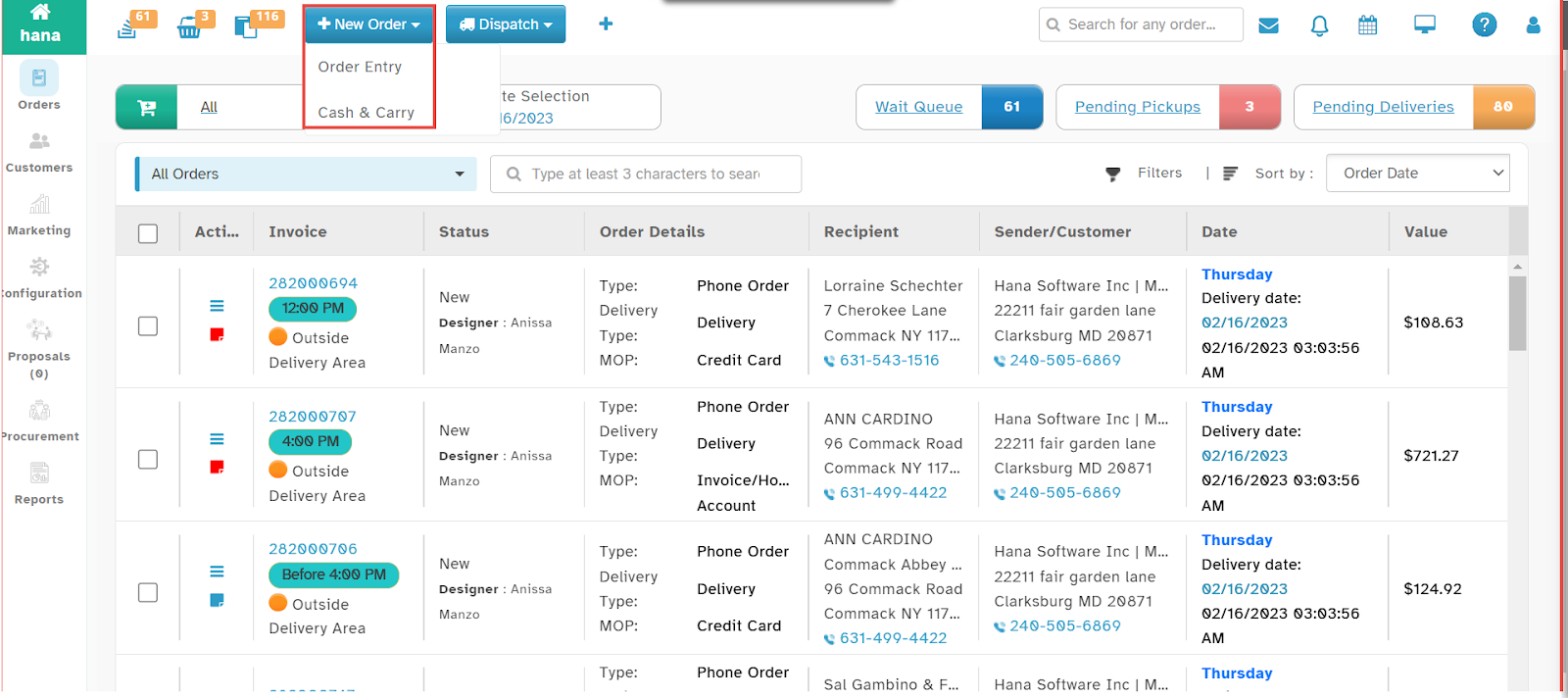
Step 2: Enter Recipient’s Address
Enter the recipient’s address in the designated fields.
Step 3: Open the Map Directions Dialog
Click the View Map icon next to the address field.
The Map Directions Dialog will appear.
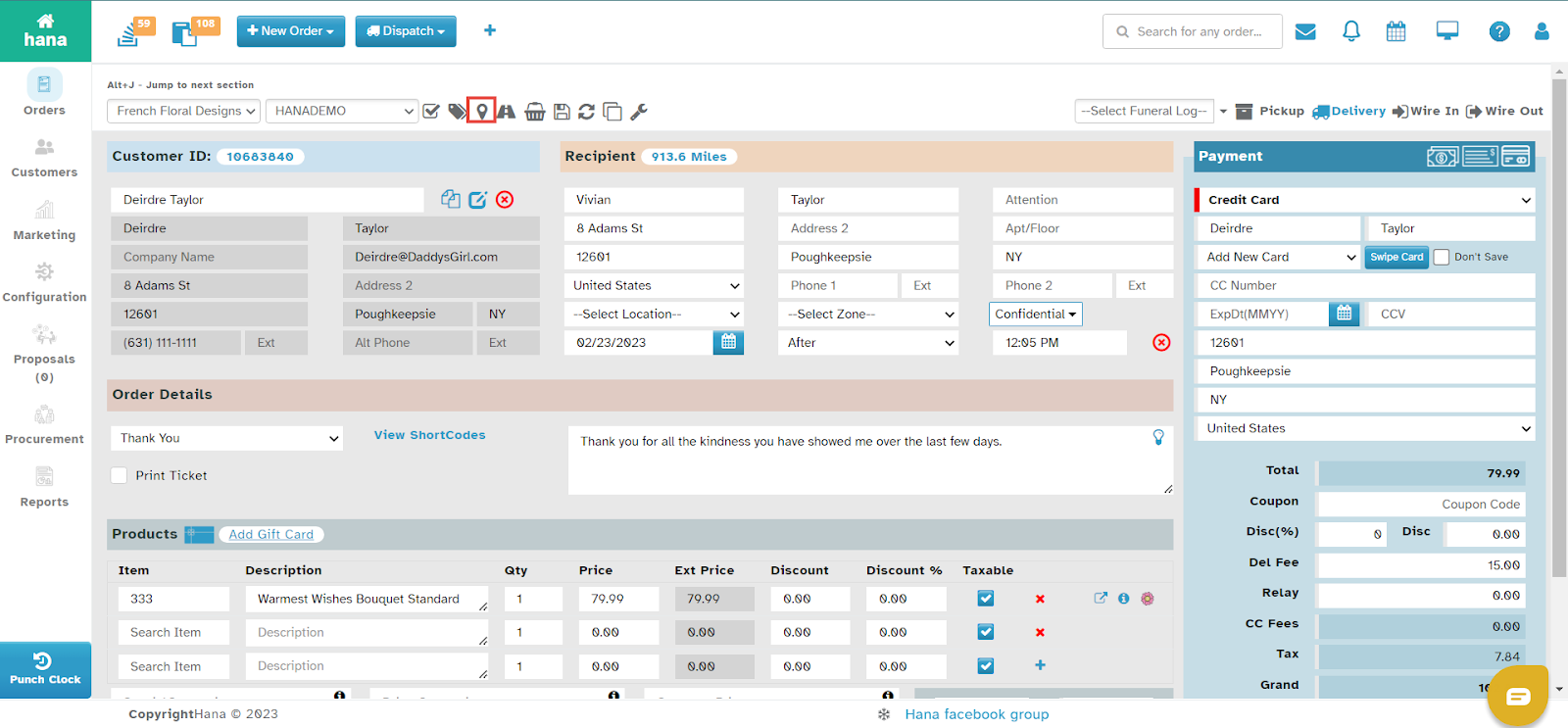
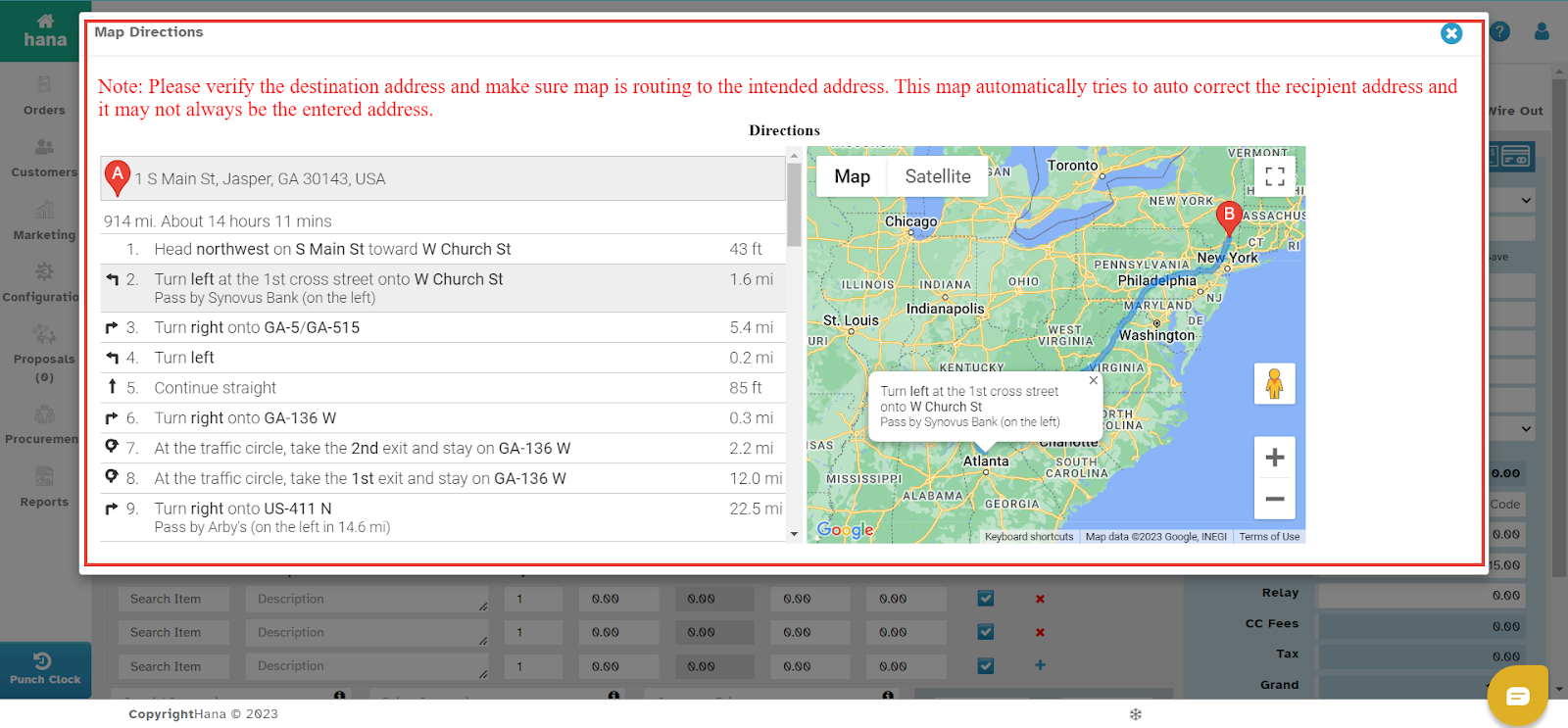
Step 4: Review the Map and Route Details
The suggested route between your shop and the recipient’s address will be displayed.
You can view the estimated distance and directions.
Was this article helpful?
That’s Great!
Thank you for your feedback
Sorry! We couldn't be helpful
Thank you for your feedback
Feedback sent
We appreciate your effort and will try to fix the article