Hana POS allows you to reload the current order form to start fresh. However, reloading the form will erase all data entered so far, so it should be used with caution.
This guide outlines the steps to reload the order form.
Steps to Reload the Order Form
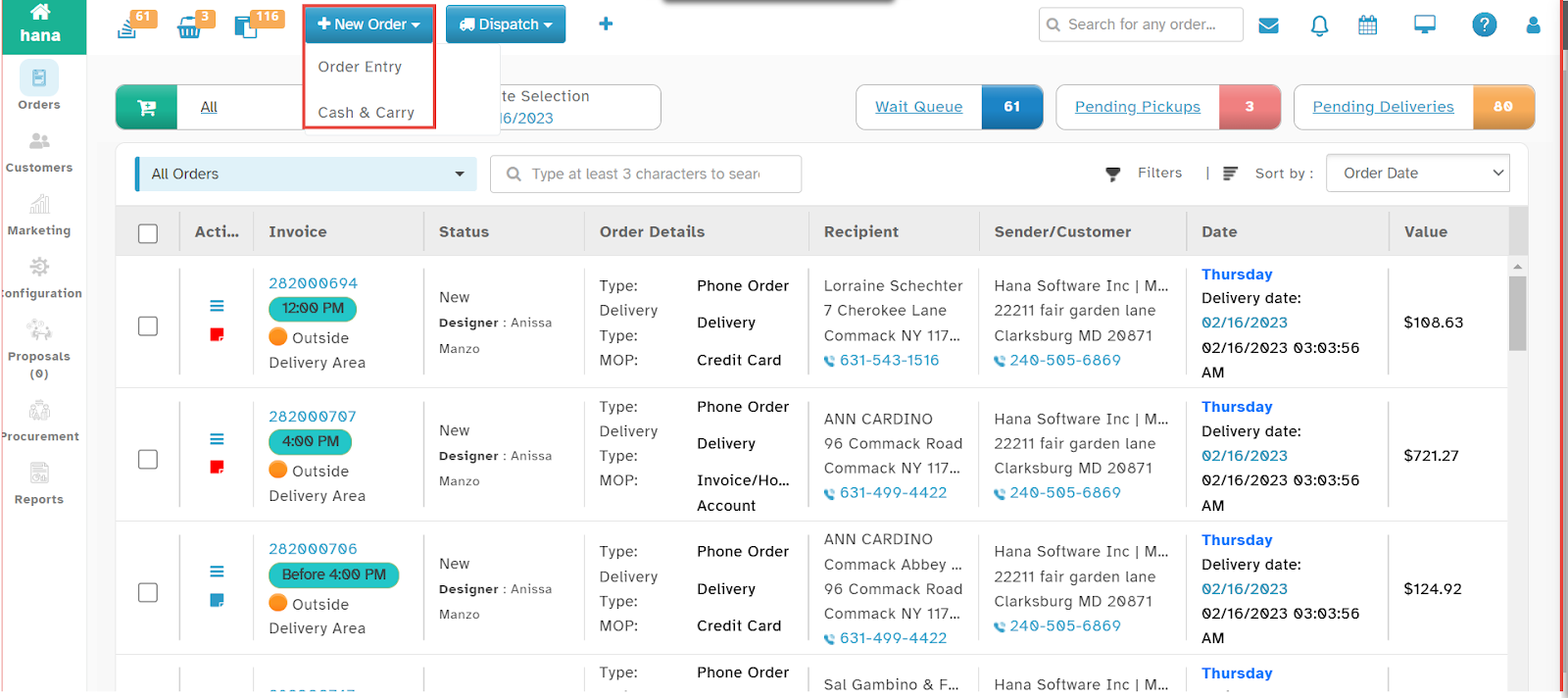
Step 1: Access the Order Entry Page
Navigate to New Order > Order Entry.
The Order Entry Page will be displayed.
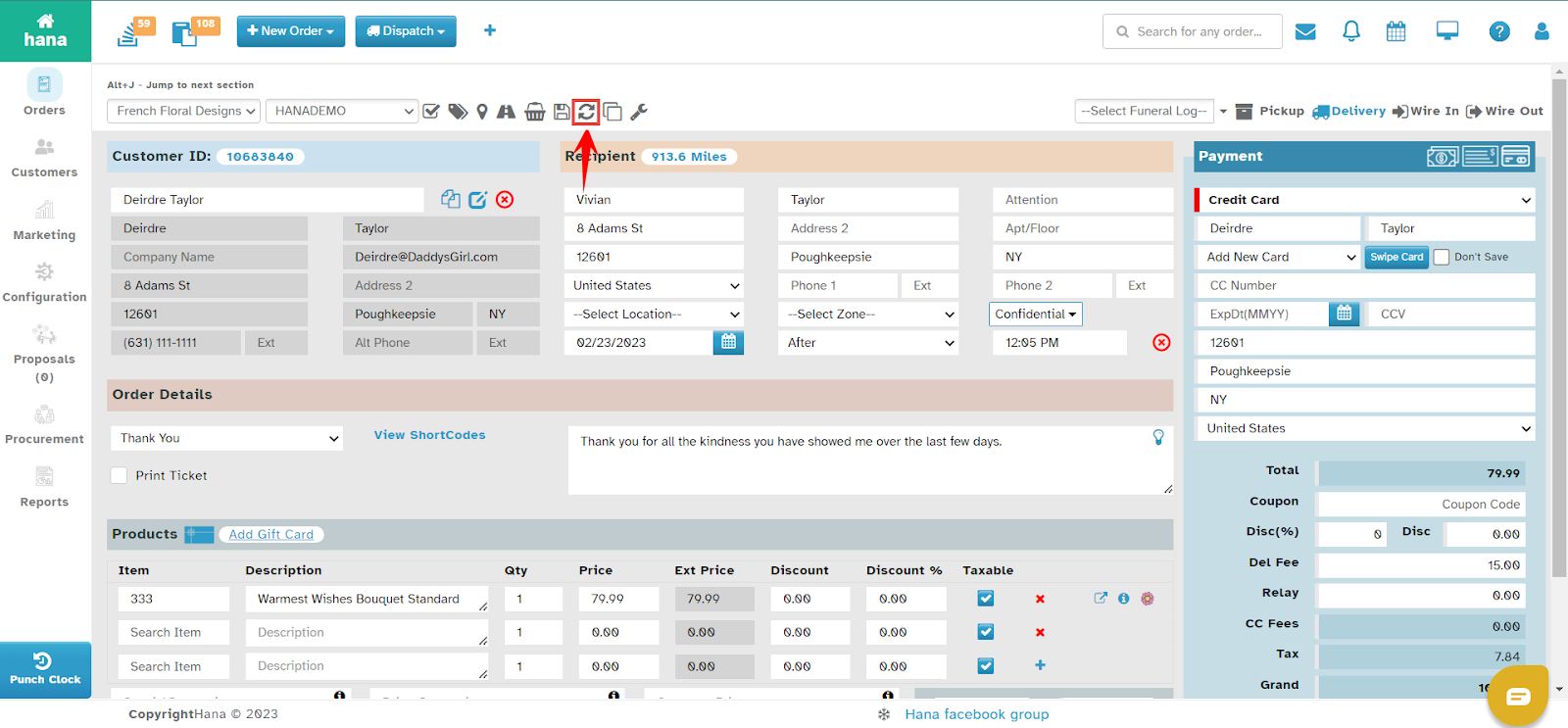
Step 2: Reload the Order Form
Click the Reload Order Form icon.
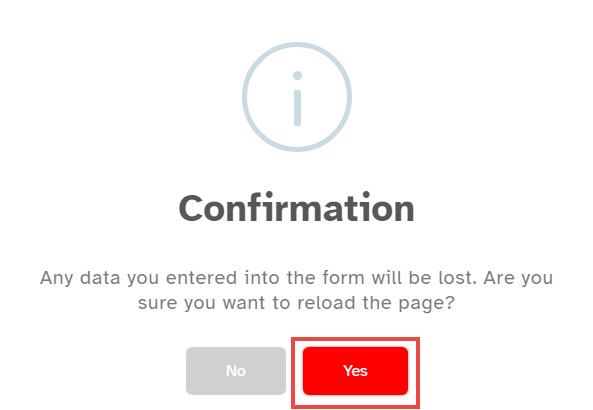
A confirmation dialog will appear, asking you to confirm the reload.
Step 3: Confirm Reload
Click Yes.
The Order Entry Page will be refreshed, and all previously entered data will be lost.
By following these steps, you can efficiently restart order entry when needed within Hana POS.
Was this article helpful?
That’s Great!
Thank you for your feedback
Sorry! We couldn't be helpful
Thank you for your feedback
Feedback sent
We appreciate your effort and will try to fix the article